Brother SE700 vs Singer Legacy SE300: Which Combo Machine Wins for Beginners?
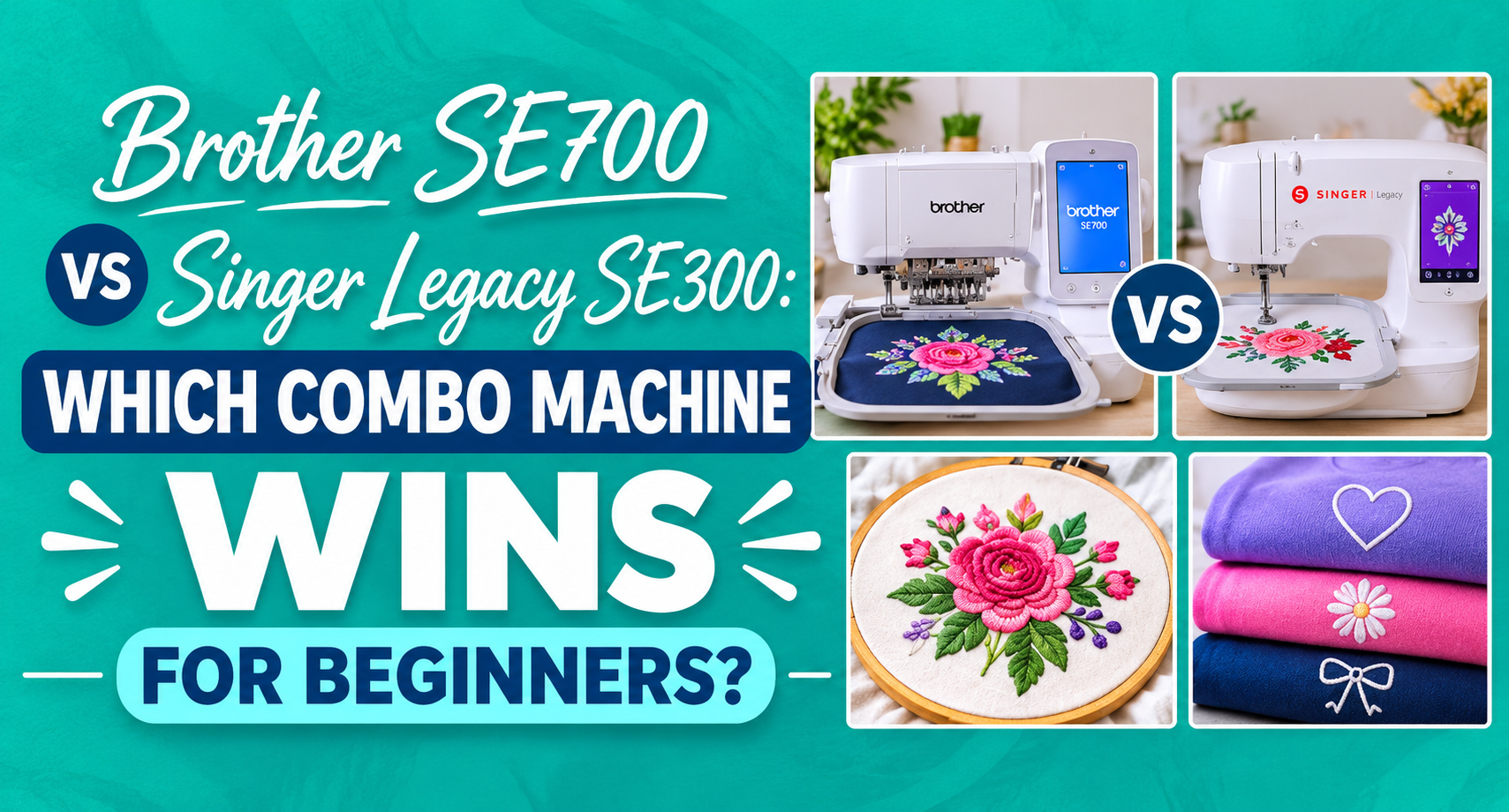
Buying your first sewing and embroidery machine can be confusing when two machines offer almost everything a beginner needs. The brother se700 vs singer legacy se300 comparison comes down to more than the number of built-in designs. The Brother SE700 sewing machine is worth considering if you want one machine for everyday sewing and small embroidery projects. You also need to think about hoop size, design transfers, and how much room you have to grow. Both machines combine sewing and embroidery, but they approach it differently.
The Brother PE800 embroidery machine also comes up in this conversation, especially among buyers who care more about embroidery than regular sewing. However, the SE700 and SE300 serve people who want both functions in one machine. Let's look at what each machine actually brings to the table, where beginners might run into trouble, and which one makes more sense for different projects.
Which One Should a Beginner Pick?
For someone who wants a compact machine for everyday sewing, small embroidery designs, names, monograms, and simple gifts, the Brother SE700 makes a practical starting point. Its 4" x 4" embroidery field keeps projects within a clear size limit, while wireless design transfer gives beginners another way to bring new patterns into the machine.
The Singer Legacy SE300 suits beginners who want more room for embroidery. Its included large hoop measures 10¼" x 6", and its 4" x 4" hoop handles smaller designs. It also comes with more built-in sewing stitches and embroidery designs.
Here's the simple difference:
Choose the Brother SE700 if you prefer wireless design transfer, a compact setup, and straightforward beginner projects.
Choose the Singer SE300 if larger embroidery designs, more built-in stitch choices, and a bigger hoop matter more.
Think about your sewing habits before paying extra for features you might rarely use.
Neither machine replaces a commercial embroidery setup. Both work best for personal projects, home sewing, and light customization.
Brother SE700 vs Singer Legacy SE300 at a Glance
The specifications tell an interesting story. Brother focuses on wireless connectivity and a smaller embroidery field, while Singer includes two hoop sizes and a larger collection of built-in designs.
Specs Table
Feature | Brother SE700 | Singer Legacy SE300 |
Machine type | Sewing and embroidery combo | Sewing and embroidery combo |
Maximum embroidery area | 4" x 4" | 10¼" x 6" with large hoop |
Additional hoop | 4" x 4" | 4" x 4" |
Built-in embroidery designs | 135 | 200 |
Embroidery fonts | 10 | 6 |
Built-in sewing stitches | 103 | 250 |
Display | Color LCD touchscreen | LCD touchscreen |
Design transfer | USB and wireless LAN | USB flash drive |
Maximum sewing speed | 710 stitches per minute | Up to 800 stitches per minute in sewing mode |
Main advantage | Wireless connectivity | Larger embroidery field |
Specifications come from the manufacturers' product information. Features and included accessories can vary by package.
Brother lists 135 built-in embroidery patterns, 10 embroidery fonts, and 103 sewing stitches for the SE700. Singer lists 200 embroidery designs, six font options, and 250 sewing stitches for the SE300.
One detail deserves attention: the SE300's larger hoop does not mean every design automatically fits the entire 10¼" x 6" space. The actual design dimensions, placement, and fabric setup still matter.
Which Machine Is Easier to Learn On?
A beginner doesn't need a machine with hundreds of features on the first day. What matters is how quickly you understand the controls, prepare the fabric, thread the machine, and complete a clean design.
Both machines have computerized controls, automatic threading features, and touchscreen navigation. However, their design-transfer systems and hoop arrangements create different learning experiences.
Touchscreen and Menu Navigation
The Brother SE700 has a color LCD touchscreen that displays embroidery designs and basic editing options. Beginners can select built-in patterns, adjust their placement, and work with lettering without spending hours learning complicated software.
Its wireless LAN feature also makes design transfer more convenient. Brother's free Design Database Transfer software sends compatible embroidery files from a computer to the machine over a wireless connection. You still need to check the design size and format before transferring it.
The Singer SE300 also has a touchscreen. Its menus provide access to sewing stitches, embroidery patterns, and machine settings. The machine includes USB design transfer, which gives beginners a familiar way to move files from a computer to the machine.
Here's how the two systems differ:
Brother connects with a computer through wireless LAN or USB.
Singer uses a USB flash drive for embroidery design transfer.
Both machines provide touchscreen controls.
Both require some practice before beginners become comfortable with editing and placement.
Basically, the Brother has a more convenient wireless workflow, while the Singer keeps file transfer simple with a USB stick.
Hoop Setup and Threading Frustrations
Hooping fabric properly takes practice. A loose hoop creates movement during embroidery, while excessive tension stretches the fabric and changes the finished design.
The SE700 comes with a 4" x 4" embroidery hoop. This smaller frame gives beginners a manageable starting point for names, small logos, initials, and decorative patterns.
The SE300 includes two hoops:
A 4" x 4" hoop for small designs.
A 10¼" x 6" hoop for larger embroidery projects.
The Singer's larger hoop provides more room, but beginners still need to position fabric carefully. A larger hoop doesn't automatically make hooping easier.
Both machines include automatic needle threading, but that feature doesn't remove every threading problem. Incorrect spool placement, damaged needles, lint around the bobbin, and poor-quality thread still cause trouble.
Common Beginner Mistakes on Each Machine
New embroidery users usually make a few mistakes while learning either machine.
On the Brother SE700:
Choosing a design that exceeds the 4" x 4" embroidery field.
Using an unsuitable stabilizer for stretchy fabric.
Forgetting to check the design's stitch density.
Transferring files in unsupported formats.
Leaving fabric loose inside the hoop.
On the Singer Legacy SE300:
Misplacing fabric inside the larger hoop.
Selecting designs that exceed the chosen hoop's dimensions.
Ignoring stabilizer requirements.
Using embroidery files with unsuitable stitch settings.
Skipping a test stitch before decorating an expensive garment.
One small habit saves you from frustration: test every new design on a similar scrap of fabric before stitching it onto the actual item.
Embroidery Performance: What Beginners Actually Get
A machine's built-in design collection looks impressive on a product page, but embroidery quality depends on several other factors.
The digitizing file, fabric, needle, thread, stabilizer, and hoop tension all affect the finished result. Even an expensive machine struggles with a poorly prepared design.
Design Size and Hoop Limits
This is where the biggest difference between these machines appears.
The Brother SE700 embroidery machine has a maximum embroidery area of 4" x 4". That size works well for small projects, but it also creates a clear limit when beginners start working with larger logos and decorative designs. That size works well for:
Small chest logos.
Children's clothing.
Baby blankets.
Names and initials.
Small decorative patterns.
Personalized towels and gifts.
However, a 5" wide design won't fit inside its standard embroidery field. Splitting a design into sections requires careful planning and additional editing.
The Singer SE300 gives users a larger 10¼" x 6" hoop alongside its smaller 4" x 4" option. This gives beginners more space for jacket backs, larger decorative designs, and wider fabric projects.
Still, beginners should check the exact dimensions before purchasing embroidery files. A design that looks small on a computer screen might exceed the machine's stitching area.
Stitch Quality on Different Fabrics
Both machines handle suitable home embroidery fabrics, but each material needs the right preparation.
Cotton is a good starting point because it stays relatively stable under the hoop. Beginners also get good results with quilting cotton, canvas, and some lightweight denim when they select the right needle and stabilizer.
Other fabrics need more attention:
T-shirts: Use cut-away stabilizer because stretchy fabric shifts during stitching.
Towels: Use water-soluble topping to keep stitches visible above the pile.
Denim: Select a suitable needle and avoid overly dense designs.
Fleece: Use a topping layer and stable backing to control fabric movement.
Lightweight cotton: Avoid excessive tension and heavy stitch coverage.
I always recommend checking the underside of an embroidery sample, not just the front. Excessive bobbin thread, loose stitches, and tangled thread underneath tell you that something needs attention.
Importing Your Own Designs (USB and File Formats)
Both machines support custom embroidery designs, but the transfer process differs.
The SE700 supports PES, PHC, and DST files, subject to Brother's file compatibility guidance. It also supports wireless transfer through Design Database Transfer.
One important detail about DST files: they don't contain the same thread color information as many other embroidery formats. Brother displays DST designs using a default color sequence, so users need to check and adjust thread colors before stitching.
The Singer SE300 uses USB design transfer. Its product information also describes complementary software for accessing and preparing embroidery files.
Before downloading a design, check:
The machine's supported file format.
The maximum design dimensions.
The number of thread colors.
The stitch count and density.
Whether the file needs editing.
A JPG or PNG image isn't automatically an embroidery file. You need embroidery digitizing software or a professional digitizer to convert artwork into machine-readable stitches. Simply changing a file extension won't create a usable embroidery design.
Sewing Side: Is the Combo Worth It?
Buying a combo machine makes sense if you actually plan to sew and embroider. It saves workspace and gives beginners two useful functions in one machine.
However, the sewing features deserve the same attention as the embroidery specifications.
Built-In Stitches and Everyday Sewing Use
The SE700 includes 103 built-in sewing stitches, while the SE300 includes 250. This gives Singer a larger selection for decorative sewing, garment repairs, quilting, and everyday fabric projects.
Some useful sewing applications include:
Basic straight stitching.
Zigzag stitching.
Buttonholes.
Decorative borders.
Fabric joining.
Simple quilting.
Clothing alterations.
The SE700's 710-stitch-per-minute maximum sewing speed works for regular home sewing tasks. Singer lists a maximum sewing speed of up to 800 stitches per minute in its product information.
However, speed isn't the only thing that matters. Beginners should focus on stitch control, fabric feeding, and proper needle selection before trying to sew at the highest speed.
If you mainly want to embroider names and logos, don't pay extra just because a machine has more decorative sewing stitches.
Noise, Maintenance, and Long-Term Reliability
Both machines need regular cleaning and basic maintenance. Embroidery creates lint, especially around the bobbin area, and that lint eventually affects thread movement.
A simple maintenance routine includes:
Remove lint from the bobbin area according to the manual.
Change needles regularly.
Use the correct bobbins and thread.
Check the needle for damage before starting a new project.
Keep the machine covered when not in use.
Follow the manufacturer's lubrication instructions.
Don't apply oil to parts that the manual identifies as maintenance-free.
Support, Spare Parts, and Repair Costs in the US
Brother provides a dedicated SE700 support page with manuals, warranty information, downloads, and customer service details. Its published warranty structure lists a 1-year limited warranty on parts, 2 years on electrical components, and 25 years on the chassis.
Singer lists warranty coverage of 90 days on labor, two years on electrical components, and 25 years on the machine head for the SE300, subject to its warranty terms.
Before buying either machine, check the following:
Whether the seller is an authorized US dealer.
Whether the machine comes with the original warranty.
Whether replacement hoops and bobbins are available.
Whether local repair shops service the model.
Whether the seller includes the original accessories.
Repair costs depend on the fault, parts, and labor. A damaged needle or bobbin case costs much less to replace than an electronic control board or embroidery mechanism. Ask a local service center for an estimate before committing to a major repair.
Price vs Value: Where Your Money Goes Further
Price matters, especially when you're buying your first computerized embroidery machine.
Brother's SE700 has appeared at US retailers around the $580 mark. Singer's official US listing has shown a refurbished SE300 at $699.99 against a $1,399.99 MSRP, although the listed refurbished product was sold out when checked. These are listing examples, not guaranteed current checkout prices.
When comparing prices, look beyond the machine itself.
Your actual budget should include:
Embroidery thread.
Bobbins.
Needles.
Stabilizers.
Extra hoops, if needed.
Embroidery designs.
Digitizing or editing software.
Basic maintenance supplies.
The Brother makes sense when wireless connectivity and a compact embroidery field match your needs. Singer makes more sense when you plan to use its larger hoop and wider sewing stitch collection.
Don't spend extra on a larger hoop if most of your projects involve small monograms and chest logos. On the other hand, a 4" x 4" embroidery field becomes frustrating when you regularly work with larger artwork.
Who Should Buy the Brother SE700, and Who Should Pick the Singer SE300?
The right choice depends on what you plan to make during the next year, not just what looks attractive in the product specifications.
Best for Hobby Quilters and Gift Makers
Both machines suit hobby users who enjoy making personalized items.
The SE700 works well for smaller designs on baby clothes, tote bags, towels, and gifts. Its wireless connection also makes it convenient to access new embroidery files.
The SE300 suits hobbyists who want larger embroidery patterns and more sewing stitch choices. Its larger hoop also helps with decorative designs that exceed the Brother's embroidery area.
For quilting, consider the sewing workspace, fabric handling, and included quilting accessories. Neither machine's embroidery field determines how large a quilt you can sew.
Best for Anyone Planning to Sell Embroidery Later
If you're thinking about selling embroidered products, start by considering the types of orders you expect.
Small personalized gifts, names, and simple monograms make reasonable beginner projects. However, customer orders bring additional responsibilities.
You need to manage:
Design placement.
Consistent stitch quality.
Fabric selection.
Order deadlines.
Thread changes.
Customer revisions.
A home combo machine works for occasional orders, but a larger business needs more capacity and fewer manual interruptions. If customer demand grows, a multi-needle embroidery machine deserves consideration.
Also, remember that good digitizing matters as much as the machine. A poorly digitized logo creates thread breaks, gaps, and uneven lettering, even when the machine works correctly.
FAQs
Is the Brother SE700 better than the Singer Legacy SE300 for beginners?
The Brother suits beginners who want wireless design transfer and small embroidery projects. The Singer suits those who need a larger hoop and more built-in sewing stitches.
Can I use my own embroidery designs on both machines?
Yes. Both machines support custom embroidery designs through their respective transfer systems. Check file formats, design dimensions, and machine compatibility before transferring files.
Which machine handles thicker fabrics like hoodies and denim better?
Both handle suitable denim and hoodie fabrics with the right needle, stabilizer, and design settings. Neither is designed for every heavy or bulky material, so test the fabric before stitching a finished garment.
Do I need digitizing software to start with either machine?
No. Both machines include built-in embroidery designs. You only need digitizing software or a digitizing service when you want to turn your own artwork or logo into a stitch file.
Author Bio
Matthew Davis
Senior Embroidery Digitizer
I'm Matthew Davis, a skilled embroidery digitizer with more than 15 years of practical experience. I specialize in logo digitizing, 3D puff embroidery designs, applique digitizing, custom embroidery digitizing, and working with difficult fabrics. Over the years, I have worked with different fashion brands and production teams worldwide. I always share simple tips and useful techniques to help both beginners and businesses improve their embroidery work.